Web GIS202546.3683° N, 14.1146° E
Level2 — Enterprise GIS & Mobile Geospatial Data Management
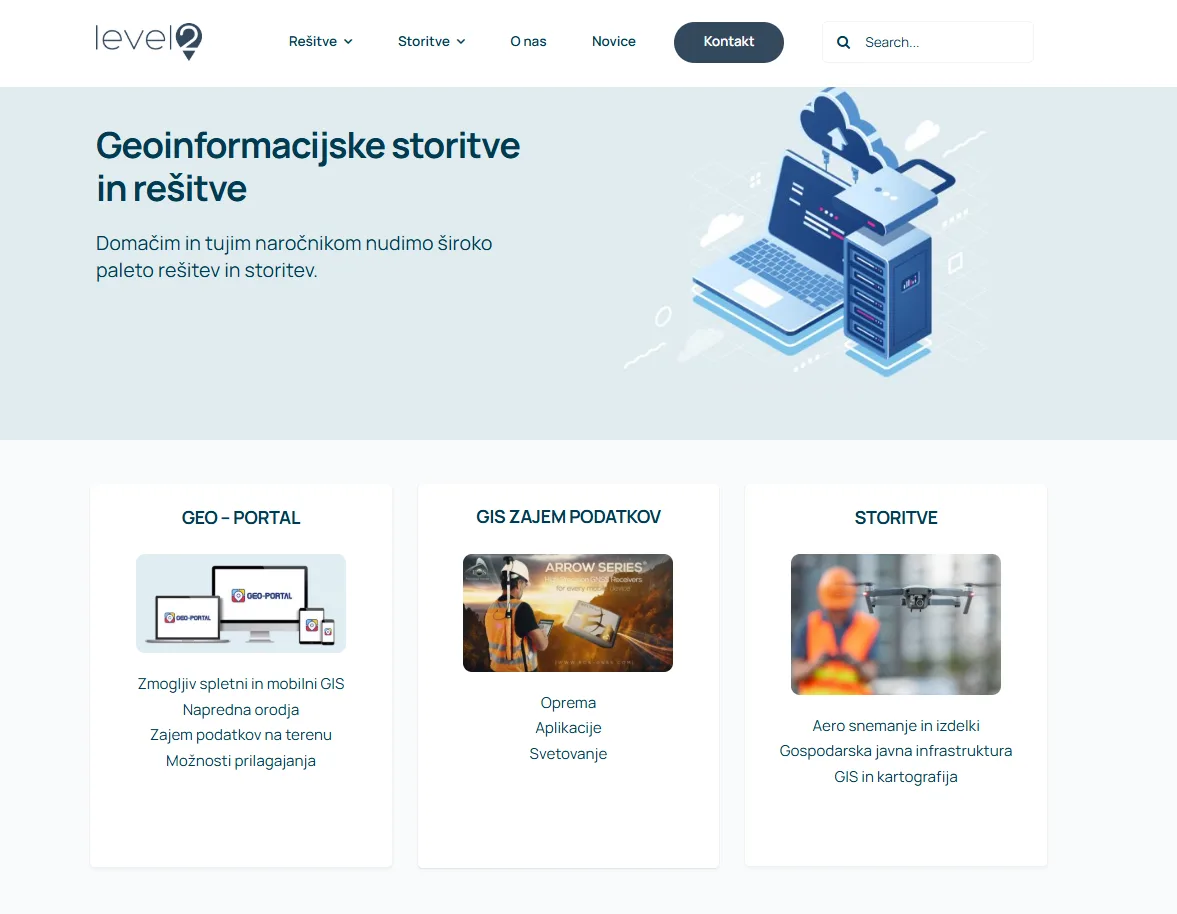
Enterprise web and mobile GIS for utilities, infrastructure and the public sector: browser map portals, GNSS field data capture and LiDAR processing for GIS and CAD.
- Role
- GIS Software Developer
- Client
- Level2 (Slovenia)
- Timeline
- Ongoing
- Platform
- Web application
- 3product lines: portal, field capture, 3D
- 2platforms: web & mobile
- 3field device types, including GNSS
Overview
The brief
Level2 provides geospatial software for organizations that need to visualize, manage, collect and analyze geographic information across web and mobile. Its flagship GEO-PORTAL lets users explore interactive maps, manage layers, search spatial data, edit features, generate PDF reports and export data straight from the browser.
Challenge
What made it hard
Utilities, infrastructure operators and public-sector teams needed their QGIS projects available to non-specialists in the browser and in the field, with permissions, printing and field edits flowing back into one central GIS.
Solution
How I built it
Working with the Level2 team, we extended QGIS Web Client into GEO-PORTAL. QGIS Server publishes the projects behind a proxy, a PostgreSQL management database holds projects, layers and users with role-based and guest access, and an OpenLayers mobile viewer takes the same maps into the field. Crews capture features on smartphones, tablets and GNSS receivers and sync them back, while GeoPlan3D turns LiDAR elevation models and classified point clouds into GIS- and CAD-ready outputs.
Core features
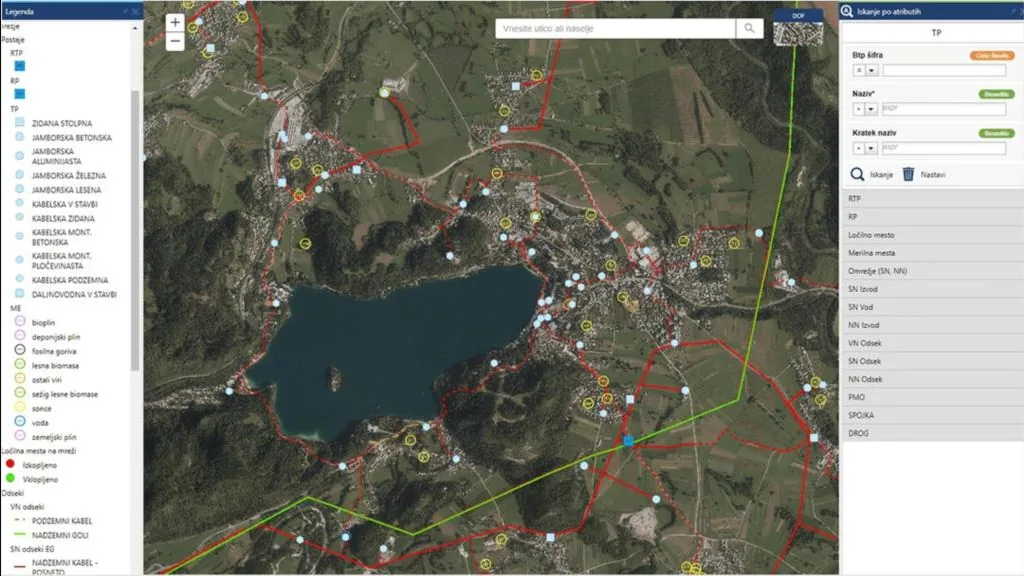
GEO-PORTAL utility network mapUtility networks over aerial imagery with a full legend and attribute search, served from QGIS projects. 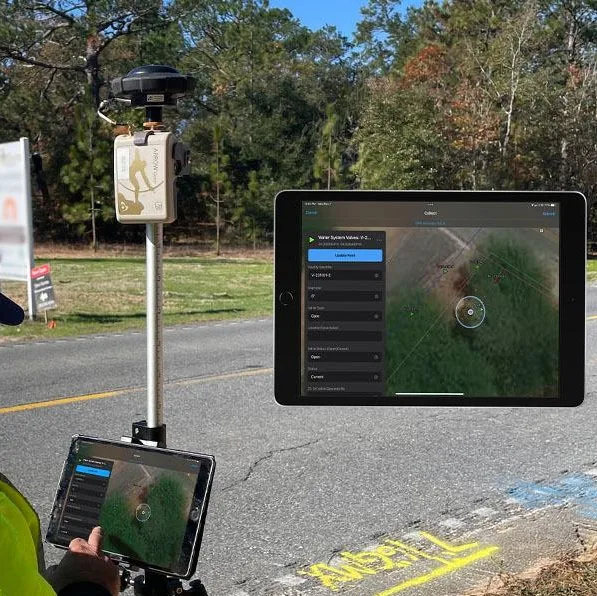
Field data capture with GNSSCapture features, update attributes and attach photos in the field, then sync to the central GIS. 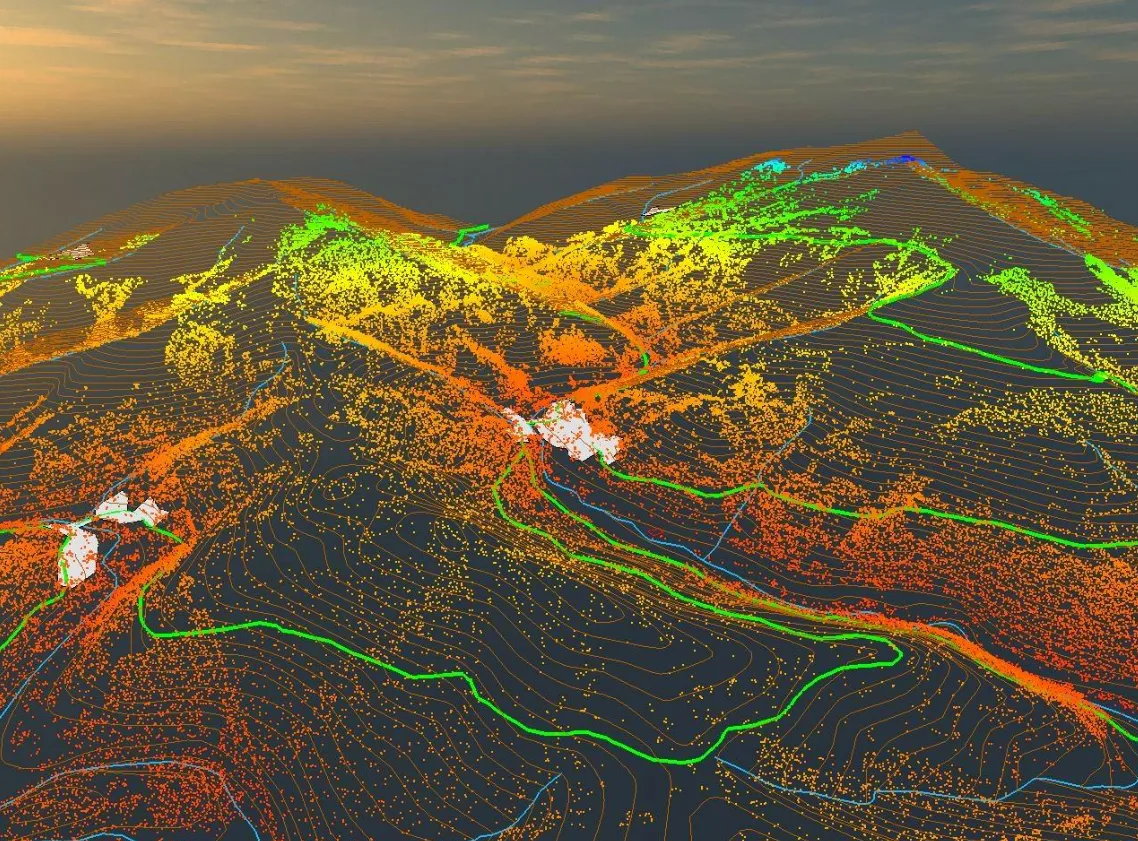
GeoPlan3D LiDAR processingElevation models and classified point clouds turned into contours and outputs ready for GIS and CAD.
Key features
- Browser map portal with layer management and spatial search
- Feature editing, PDF reports and data export from the web
- User authorization with role-based and guest access
- Field capture on smartphones, tablets and GNSS receivers
- Attribute updates and field photos synced to the central GIS
- LiDAR elevation models and point clouds processed for GIS and CAD
Tech stack
- QGIS Server
- QGIS Web Client
- OpenLayers
- PostgreSQL
- PHP
- JavaScript
- GNSS
- LiDAR
See it running
Open the live app in your browser.